
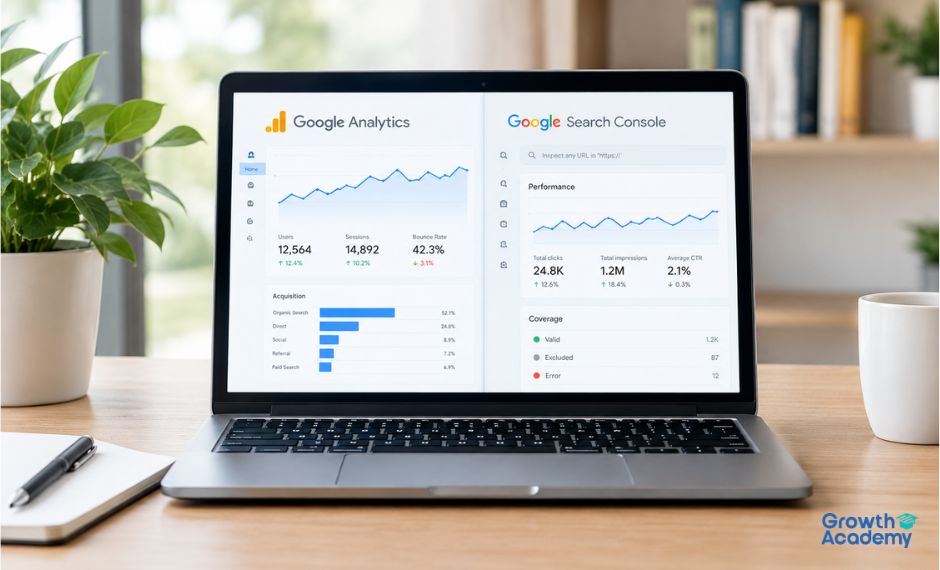
You have built a website, published a few pages, and now want to know how it is doing. "Check Google Analytics," someone tells you. "Just open the Search Console," says another person, equally confidently. Both platforms are free tools provided by Google and look fairly similar. Which one do you need? If you are asking yourself this question, you are not alone. Every beginner enrolled in a digital marketing course asks it during the first week.
Here is the short answer. Google Search Console tells you how people find your website on Google. Google Analytics tells you what they do after finding it. These are two sides of the coin, and this guide will walk you through each side in simple language.
Google Analytics is a free tool telling you how visitors behave on your website. The current version of Google Analytics is GA4 or Google Analytics 4. It is suitable for websites having a tracking code embedded in their pages, which reads visitor behavior on the site, such as page views, scrolls, clicks, and form submissions. With Google Analytics, you can see:
• How many users came to the website and how many of them returned
• What pages they visited and their engagements
• Where they came from: search, social media, email, ads, or direct
• What action they took on the website, which led to a desired outcome (conversion)
In short, Google Analytics is the traffic and engagement checker for visitors already on your webpage, irrespective of the channel they have used to get there.
Google Search Console is another free tool from Google, which tells you how your website performs in Google Search and is crawled by Google's algorithms. With Google Search Console, you can see:
• Impressions, clicks, and click-through-rate (CTR) = how Google users interact with your website
• Average position - where your website appears in the search results
• Queries - what Google users are searching for and clicking on
• Index coverage, Core Web Vitals, and errors - how Google reads your website
In short, Google Search Console is a traffic and engagement checker for visits driven via Google Search.
The simplest way to remember the difference between Google Search Console and Google Analytics is the Before and After the click.
A user types a query in Google, sees your website's snippet in the search results, and clicks on it. Everything that happens before the click is measured by Google Search Console. Everything that happens after the click is measured by Google Analytics. Each tool only partially represents the entire picture. To get a complete picture of your website performance, you need both tools.
Imagine that you run a small bakery. Google Search Console is you looking out through the bakery's window, watching how many people pass by and stop by your shop, how many of them go inside, read the menu, and eventually buy bread. You know for a fact that your bakery's traffic consists of two types: foot traffic (people passing by) and Google traffic (those who searched for "fresh bread" or "best bakery nearby"). With Google Search Console, you can see how many people passed by and how many of them entered your shop.
Google Analytics is another person peering out the bakery's second-floor window, watching the visitors and tracking how many of them browsed the shop, how many bought something and at which shelf, how many asked you for a cream bun or just left without buying anything. One person watches the street; the other looks at the visitors. Each has an important job to do, and two people can see the big picture instead of the single one. This is exactly the way Google Search Console and Google Analytics work. Google Search Console is about finding your website on Google and attracting visitors. Google Analytics is about what they do when they are already on your website. Reading only one report is like looking out only through one window while judging the number of visitors by how many people have entered.
This is a question that many beginner digital marketers ask. Comparing clicks in Google Search Console and sessions in Google Analytics, they see that the numbers don't match. This, in fact, is normal, and it doesn't mean either tool is broken. The reason is simple. Google Search Console and Google Analytics use different methodologies and sources of data. Here are a few reasons:
• Google Search Console and Google Analytics can measure traffic differently: Google Search Console = number of queries Google processes; Google Analytics = number of web pages visited by each user.
• Some pages may be blocked by an ad blocker or cookie permission system in browsers.
• Some users may close tabs right after landing on the page (the click is registered by Google Search Console, but the session will not appear in Google Analytics).
If you see a small number difference between the two, you should see it as a positive sign. If you see a consistent traffic increase in both, it means your website is doing well.
Open Google Search Console when you want to:
• Know which queries attract users to your website
• See if a new page appeared in Google's index
• Understand why some pages get more impressions but fewer clicks
• Fix indexing and crawling issues
Open Google Analytics when you want to:
• See which pages get the most traffic and engagement
• Measure traffic from search, social media, email, ads, referrals, and other channels
• See what actions lead to conversion and sales
• Get to know your audience: what devices and operating systems they use, where they are located, and what they like to do on the internet
The true force of Google Search Console and Google Analytics is seen when you use them together. Let's say that Google Search Console shows you that your article is getting thousands of impressions and hundreds of clicks. It would appear that the article resonates well with Google users. But Google Analytics tells you that most visitors stop at the top of the page and leave. Putting two facts together, you can see that the first part of the article is engaging, but the rest of the content is not. This is where the visitor drops. It may be a sign that the content's quality decreases or the CTA is positioned poorly.
It can also be the opposite scenario. Google Analytics tells you that a certain page has great conversion; however, Google Search Console tells you that the page has few impressions. In other words, the content resonates well with the visitors, but it does not reach them. It is a good sign to optimize your page further. You can also link Google Search Console and Google Analytics together to see the analytics data in your Search Console interface.
Learning about these tools is one thing; working with a live website is something else. When searching for a digital marketing course in Kozhikode, keep in mind that the most practical way to learn is to have a mentor guiding you through the real-time data and examples. Growth Academy is a digital marketing institute in Kozhikode, where students learn the fundamentals of online marketing with the help of industry tools, such as Google Analytics and Google Search Console, and with the help of mentors who work in the industry dealing with multiple clients.
If you are a beginner and do not have prior experience in website management, it is completely fine to begin your marketing education now. Everybody is a beginner at some point, staring at the screen, confused by data, and unsure what to do next. Be patient with yourself and your progress. Knowing the difference between Google Analytics and Google Search Console is just one step in your marketing career, and choosing a digital marketing institute in Kozhikode is the first step toward it.

Growth Academy
Room No: 206, 2nd Floor,
Calicut Business Center, Kallai
Kozhikode, Kerala, India - 673003
© 2025 Growth Education Hub LLP. All Rights Reserved | Privacy and Cookie Policy